Setup & Controls
How to Use: v3 Firmware
Control sequences and the printable quick guide for daily reference.
Fast Charge Power Limiter
Step 1
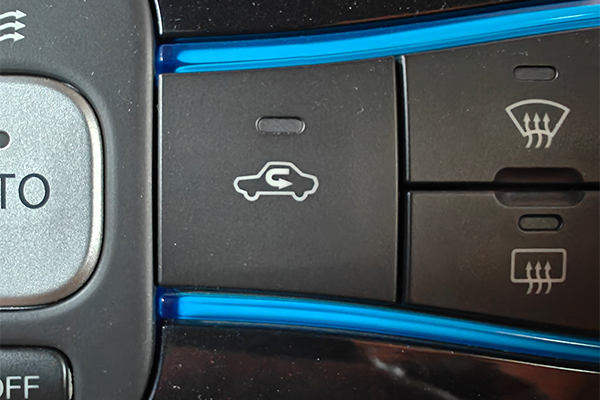
Start the car and change the air circulation mode to "Outside Air"
Step 2
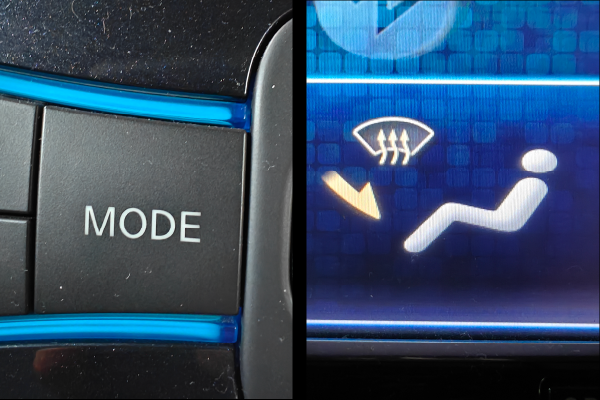
Change the air vent mode to "Feet & Defrost"
Step 3
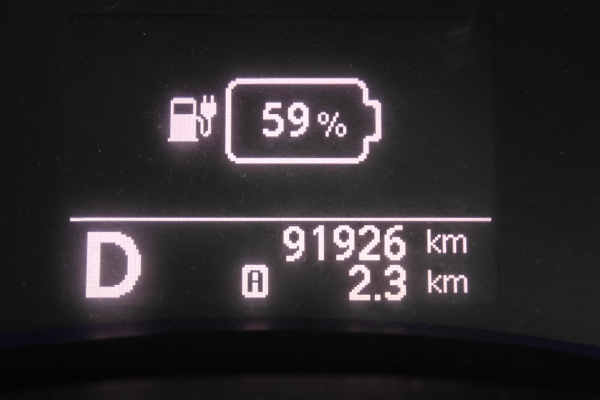
Change the gear/shifter position to "Drive"
Step 4
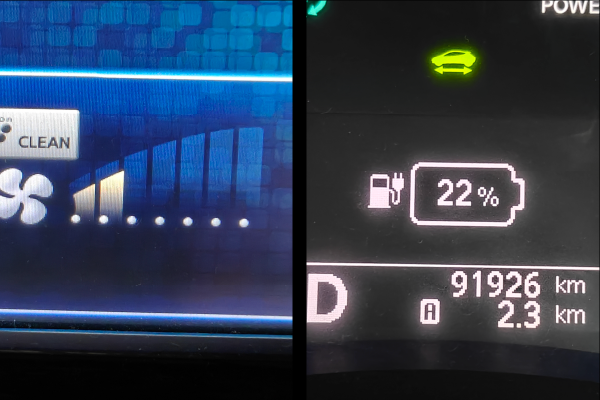
Change the "Fan Speed" from 1 to 5 to select the desired fast charge power limit from 10 kW to 50 kW. The instrument cluster SoC indicator will display your selected setting as one of the following values: 11%, 22%, 33%, 44%, 55%
Step 5
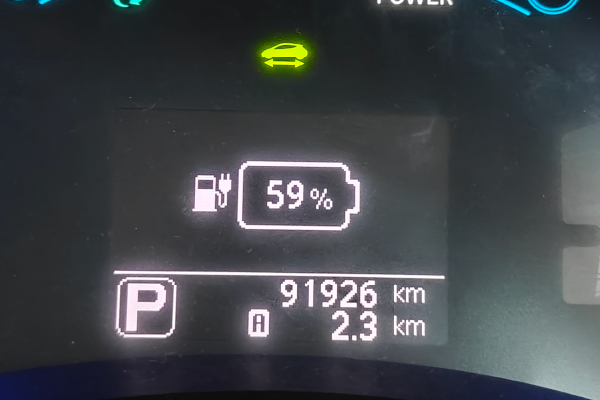
To exit the setting update mode, put the shifter back to "Park" ➱ Change the air/vent modes to whatever you like.
View Setting
To check the fast charge limit you've previously set, switch to "Outside Air" ➱ Shift to "Drive" (without changing to "Feet & Defrost"). The current setting will be displayed in the SoC indicator of the instrument cluster.
Clear Setting
To clear the custom fast charge limit, switch to "Outside Air" ➱ "Feet & Defrost" ➱ Shift to "Drive" ➱ Set the fan speed to 7 ➱ Shift back to "Park" to exit setting update mode.
TIP: ZE0 has no SoC display. You won't see the setting change, but the features work the same.
ZE1: The steps are the same for the ZE1. The HVAC controls are simply arranged differently from the AZE0 controls shown here.
Battery Protective Fast Charge Algorithm
Step 1
Start the car and change the air circulation mode to "Outside Air"
Step 2
Change the air vent mode to "Feet & Defrost"
Step 3
Change the gear/shifter position to "Drive"
Step 4
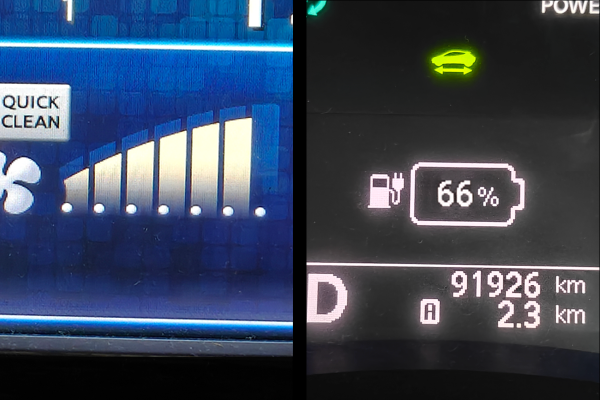
Set the "Fan Speed" to 6 in order to activate the Battery Protective FC algorithm. The instrument cluster SoC indicator will display 66%.
Step 5
To exit the setting update mode, put the shifter back to "Park" ➱ Change the air/vent modes to whatever you like.
How To Charge
Power down the car ➱ plug in to the fast charger and start the session ➱ after charging begins (double beep), press the power button twice (do not press the brake) to fully turn the car on.
The car must stay fully on for the entire session. Otherwise, the BMS will not broadcast all the data required by the algorithm.
View Setting
To check the fast charge mode you've previously set, switch to "Outside Air" ➱ Shift to "Drive" (without changing to "Feet & Defrost"). The current setting will be displayed in the SoC indicator of the instrument cluster.
Clear Setting
To clear the custom fast charge setting, switch to "Outside Air" ➱ "Feet & Defrost" ➱ Shift to "Drive" ➱ Set the fan speed to 7 ➱ Shift back to "Park" to exit setting update mode.
TIP: ZE0 has no SoC display. You won't see the setting change, but the features work the same.
ZE1: The steps are the same for the ZE1. The HVAC controls are simply arranged differently from the AZE0 controls shown here.
Slow Charge Power Limiter
Step 1
Start the car and change the air circulation mode to "Outside Air"
Step 2
Change the air vent mode to "Feet & Defrost"
Step 3
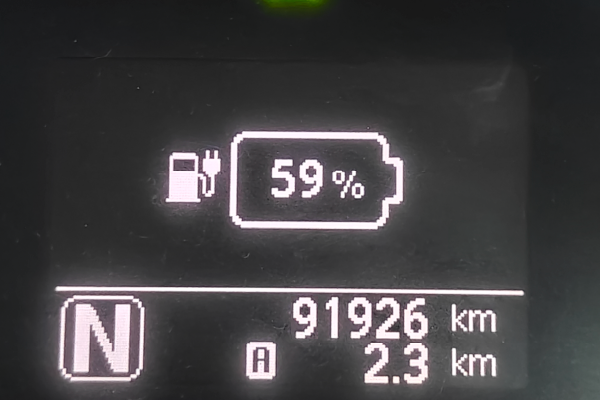
Change the gear/shifter position to "Neutral"
Step 4
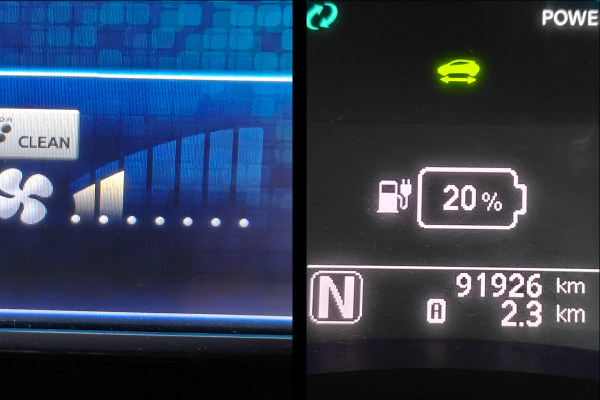
Change the "Fan Speed" from 1 to 5 to select the desired slow charge power from 1 kW to 5 kW. The instrument cluster SoC indicator will display your selected level as one of the following values: 10%, 20%, 30%, 40%, 50%
Step 5
To exit the setting update mode, put the shifter back to "Park" ➱ Change the air/vent modes to whatever you like.
View Setting
To check the slow charge power limit you've previously set, switch to "Outside Air" ➱ Shift to "Neutral" (without changing to "Feet & Defrost"). The current setting will be displayed in the SoC indicator of the instrument cluster.
Clear Setting
To clear the custom slow charge power limit, switch to "Outside Air" ➱ "Feet & Defrost" ➱ Shift to "Neutral" ➱ Set the fan speed to 7 ➱ Shift back to "Park" to exit setting update mode.
TIP: ZE0 has no SoC display. You won't see the setting change, but the features work the same.
ZE1: The steps are the same for the ZE1. The HVAC controls are simply arranged differently from the AZE0 controls shown here.
State Of Charge Limiter
Step 1
Start the car and change the air circulation mode to "Outside Air"
Step 2
Change the air vent mode to "Feet & Defrost"
Step 3
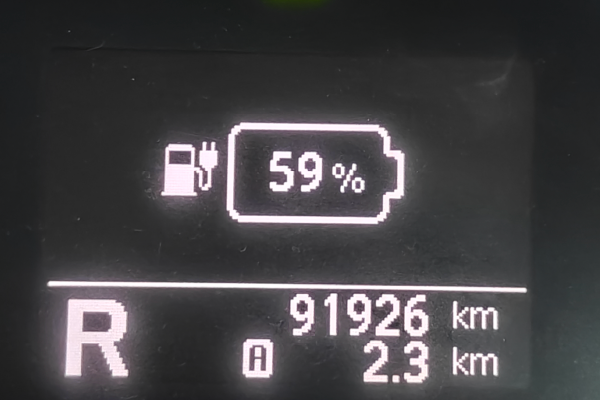
Change the gear/shifter position to "Reverse"
Step 4
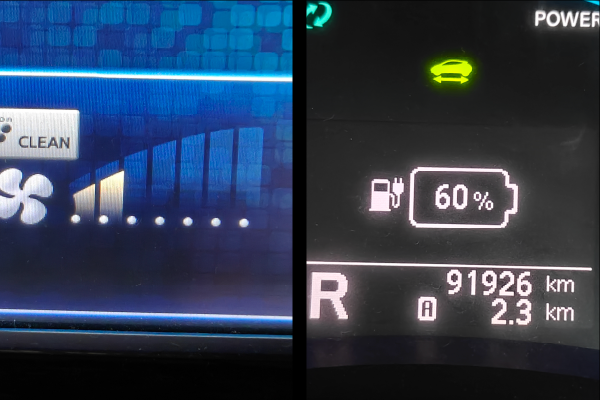
Change the "Fan Speed" from 1 to 5 to select the desired SoC limit from 50% to 90%. The instrument cluster will display your selected setting.
Step 5
To exit the setting update mode, put the shifter back to "Park" ➱ Change the air/vent modes to whatever you like.
View Setting
To check the SoC limit you've previously set, switch to "Outside Air" ➱ Shift to "Reverse" (without changing to "Feet & Defrost"). The current setting will be displayed in the SoC indicator of the instrument cluster.
Clear Setting
To clear the custom SoC limit, switch to "Outside Air" ➱ "Feet & Defrost" ➱ Shift to "Reverse" ➱ Set the fan speed to 7 ➱ Shift back to "Park" to exit setting update mode.
TIP: ZE0 has no SoC display. You won't see the setting change, but the features work the same.
ZE1: The steps are the same for the ZE1. The HVAC controls are simply arranged differently from the AZE0 controls shown here.
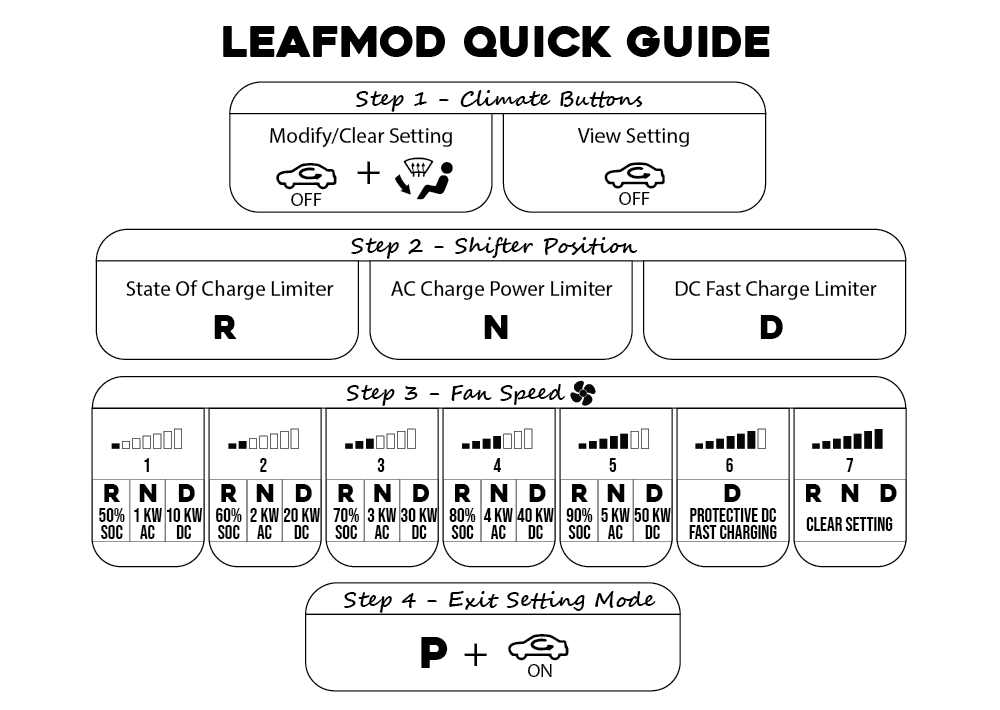
Printable Quick Guide
The following cheat-sheet style quick guide is available in PDF format. It is designed to be printed on A6 size paper. Click the preview image below to download it.