How to flash LEAFMod firmware
Installing or updating your LEAFMod firmware takes just a few minutes. All you need is an inexpensive STLink v2 USB programmer and a web browser. Our online flashing tool does the rest.
Before you begin
What you'll need
Your flashing password
The password you received from us. It is required by the flashing tool to unlock the firmware.
A computer with USB
Any computer with a free USB port and an internet connection to reach our web based flashing tool.
Part 1
Prepare the programmer
The programmer connects to four pins on the LEAFMod circuit board (STM32F105). Match each wire on the STLink v2 to the corresponding pin on the board exactly as shown in the diagram below.
 Full size
STLink v2 to LEAFMod board connections
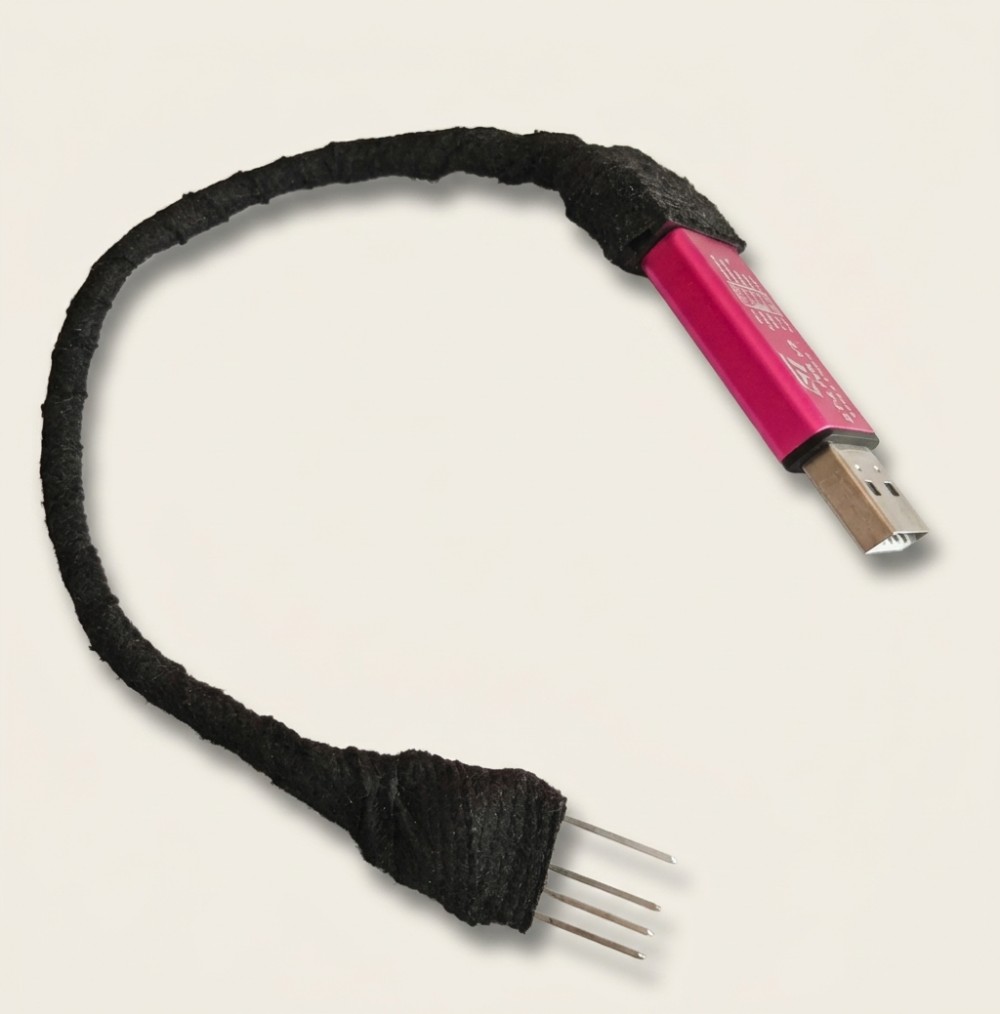
Tip: make a pin probe
Fit the end of your programmer's wires with a row of pins, like the example below. That way you can simply press the pins against the board while flashing, with no soldering required.
Handle with care
- Never solder anything to the circuit board or the programmer. Both are very sensitive to heat from a soldering iron, and we have destroyed many boards by trying.
- Hold the board by its edges only. Don't touch any of the components, as they can be damaged by static electricity.
Part 2
Update procedure
With your programmer ready, follow these five steps to flash the firmware.
-
1
Disconnect the power
Disconnect the car's 12V battery before doing anything else. Then choose where to do the update:
RecommendedRemove the LEAFMod from the car
The safest option. Unplug the LEAFMod and do the update at your desk.
Less safeUpdate it in the car
Possible while it's still plugged in, but only with the 12V battery disconnected.
-
2
Connect the programmer to the board
Open the LEAFMod case and connect the programmer to the circuit board as shown in the wiring diagram above. Don't plug the programmer into your computer yet.
-
3
Open the flashing tool
Visit our firmware flashing tool and enter the password you received from us.
-
4
Flash the firmware
- Make sure the programmer is connected to the board (or the pins are held steadily against the correct pads).
- Plug the programmer into a USB port on your computer.
- Click Update Firmware. Your browser will ask for permission to access the STLink programmer. Allow it, and flashing will begin.
- Keep everything connected and still until the website says flashing is complete. Then unplug the programmer from your computer.
Programmer not detected?
This mostly happens on Windows. Install the STLink USB drivers and try again. On Linux the programmer is usually detected automatically.
-
5
Reinstall and reconnect
Close the case, plug the LEAFMod back into the car (if you removed it), and reconnect the car's 12V battery. You're done!
Firmware updates can change how features are controlled, so check the How to Use section for the latest control sequences.
Ready to flash?
Have your programmer and password handy, then open the flashing tool.